8. Add users
You can invite other users to manage your business account.
How to add a user?
- Go to the Users section
- Click the New user button
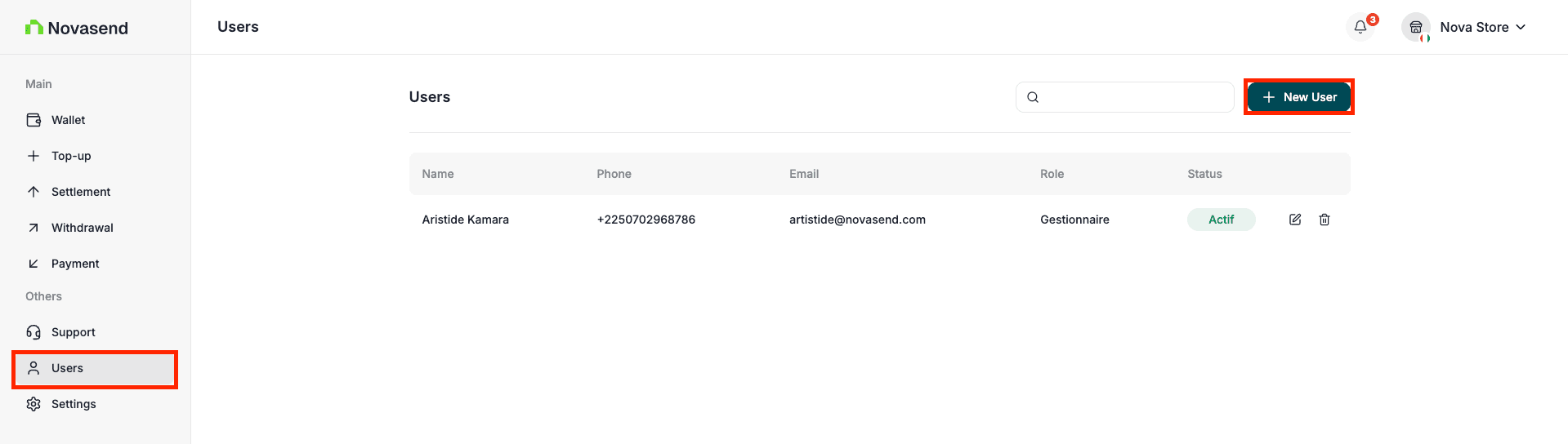
To add a new user, you have two options:
Option 1: Add a user by phone number
- Enter the user’s phone number
- Assign them a role
- Click Save
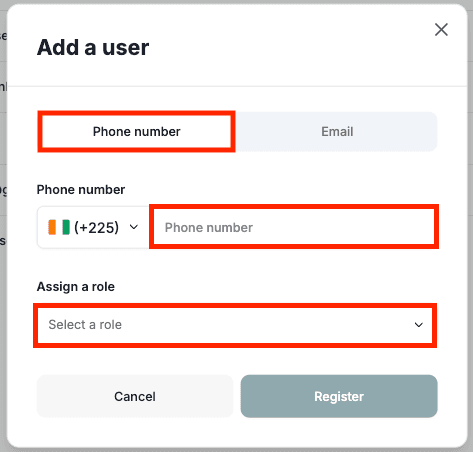
Note: The user you want to add by phone must already have a Novasend account on the mobile app.
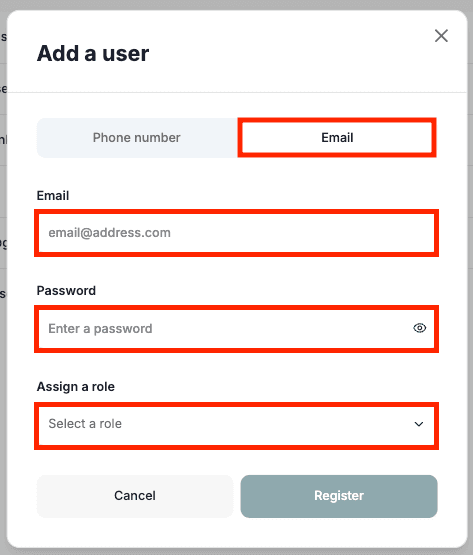
Option 2: Add a user by email
- Enter the user’s email address
- Assign them a role
- Click Save
Roles and access
User roles define the level of access within the Business Portal.
- Support
- Can view Withdrawals, Deposits, Support, and their profile in settings.
- Finance
- Can view Top-ups, Withdrawals, Deposits, Groups, Wallet, Billing and their profile in settings.
- Admin
- Has full access, including financial features and settings.
- Developer
- Has access to developer features such as Tokens, Webhooks, and Transactions and can also view their profile in settings.
Last updated on