2. Forgot Password
If your account was created with a phone number already linked to a Novasend account, you must reset your password directly from the Novasend mobile app.
Reset your password
If you forget your password, follow these steps:
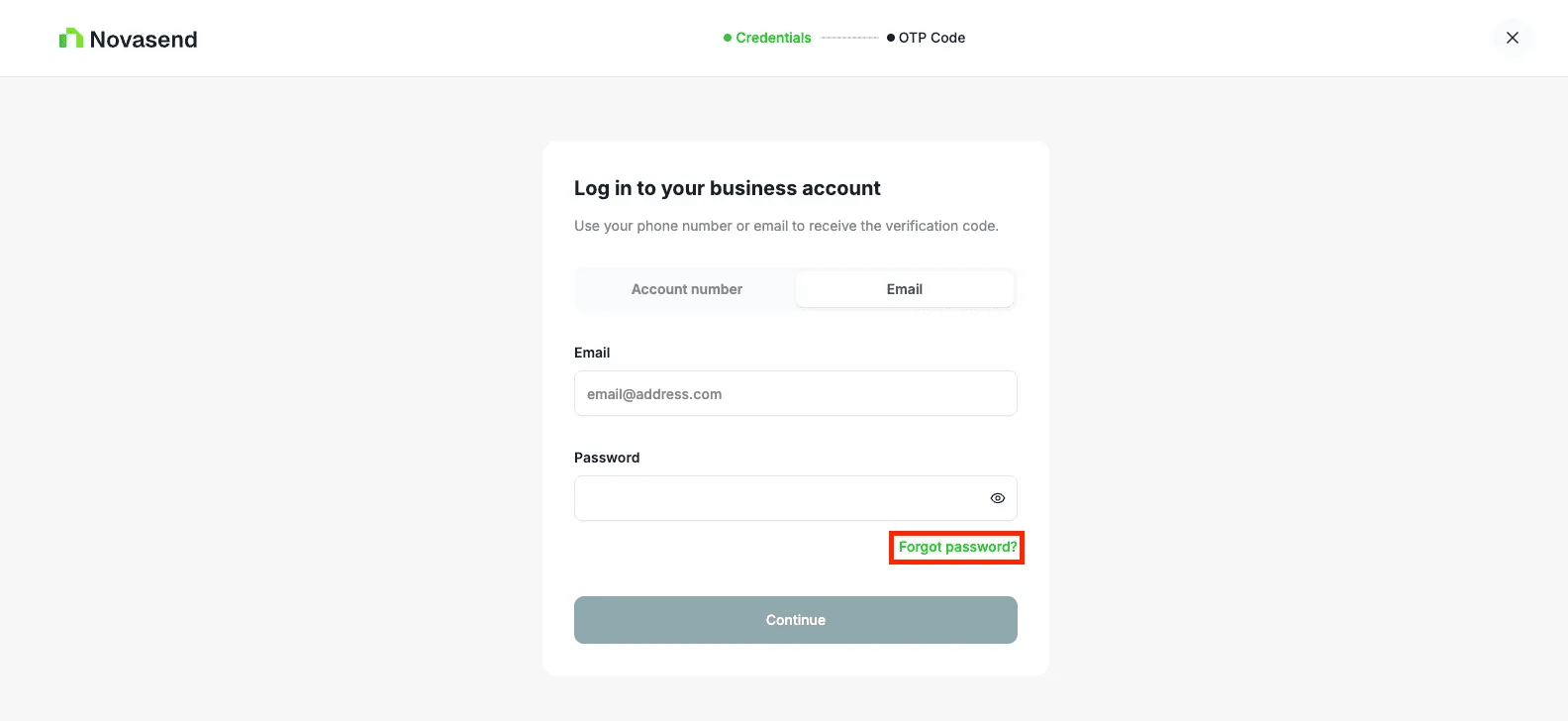
- Click Forgot password on the email login section
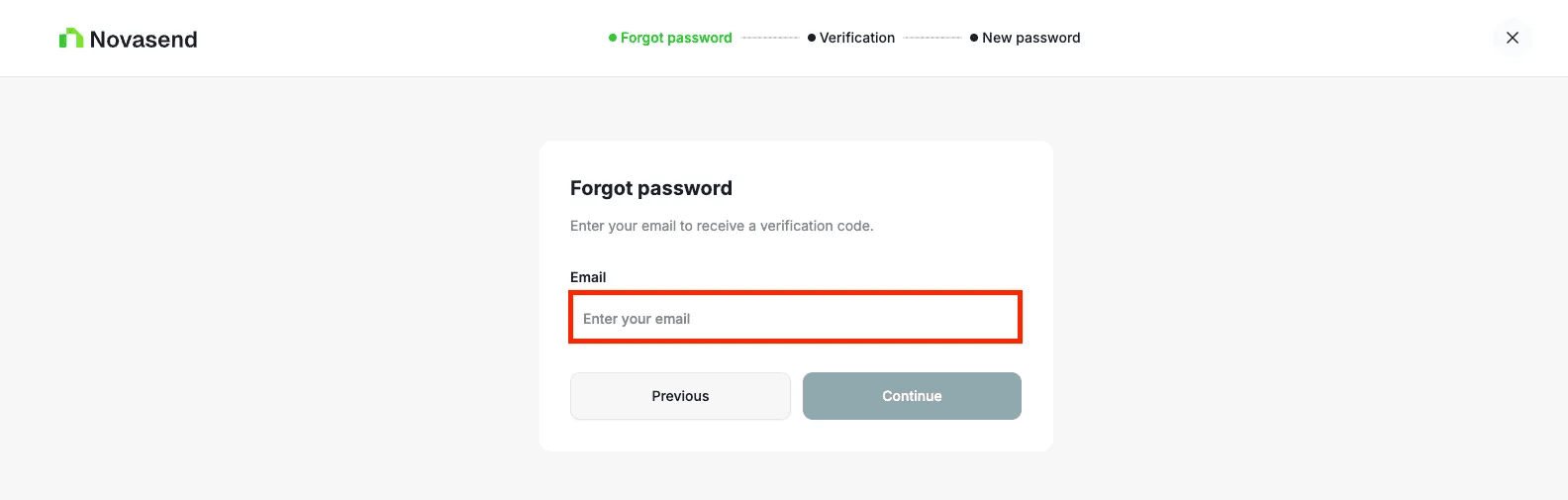
- Enter your email address
- You will receive a 4-digit verification code by email
- Enter the code you received
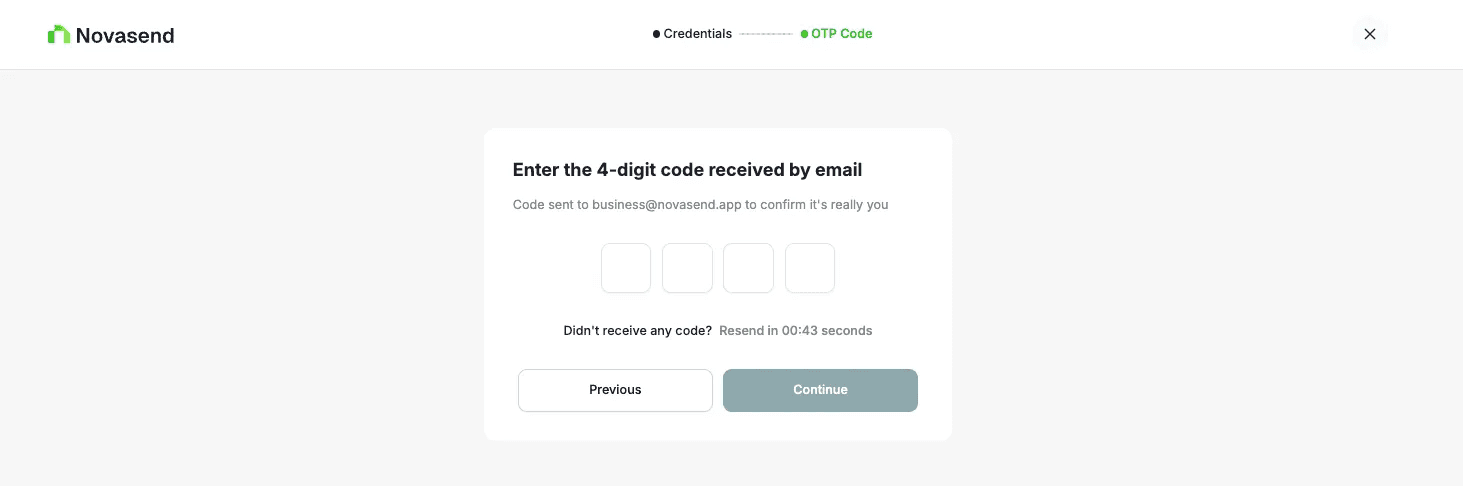
- Click Continue
- Set your new password (enter it twice to confirm)
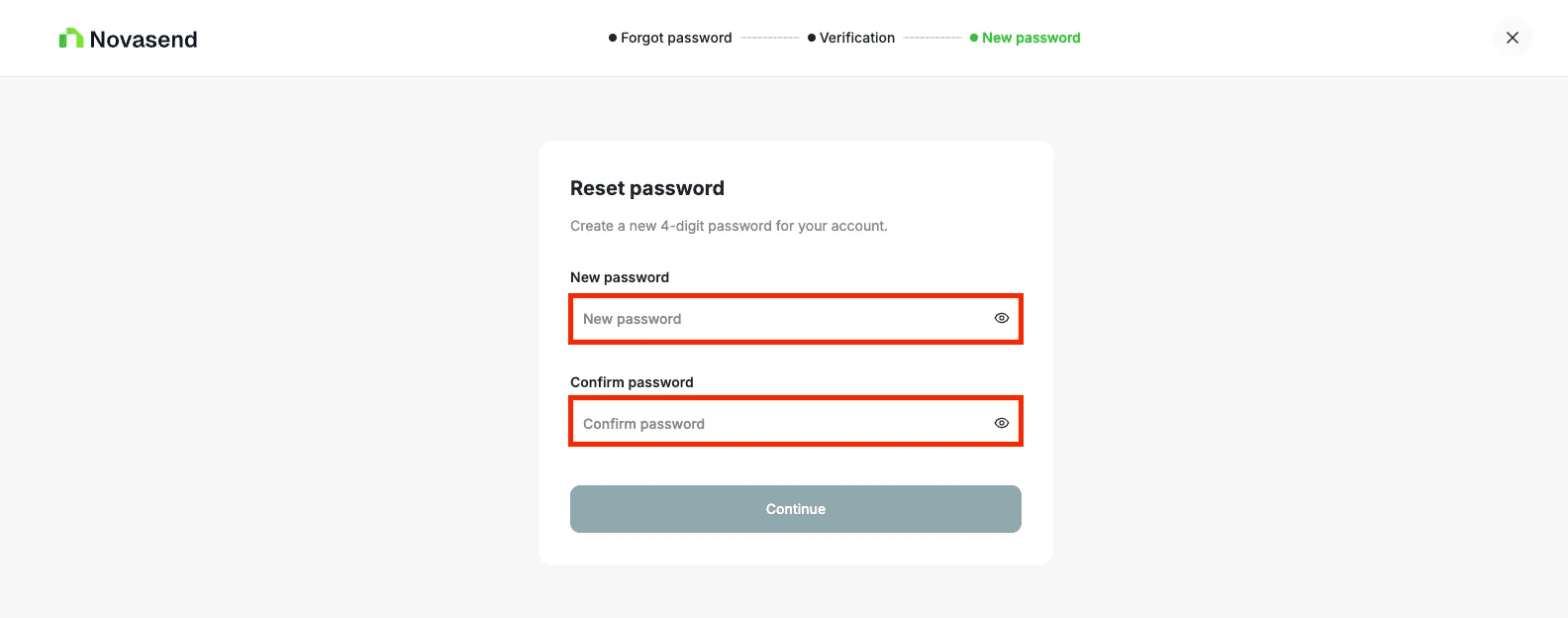
Make sure to keep your password secure and confidential.
Once completed, you can log in again using your new password.
Last updated on