6. Settlement
To receive funds, you must configure a payment method.
1. Add a payment method
You can setup a bank account or a service address.
How to add a payment method ?
- Go to Wallet in the sidebar
- Open the Payment Methods tab
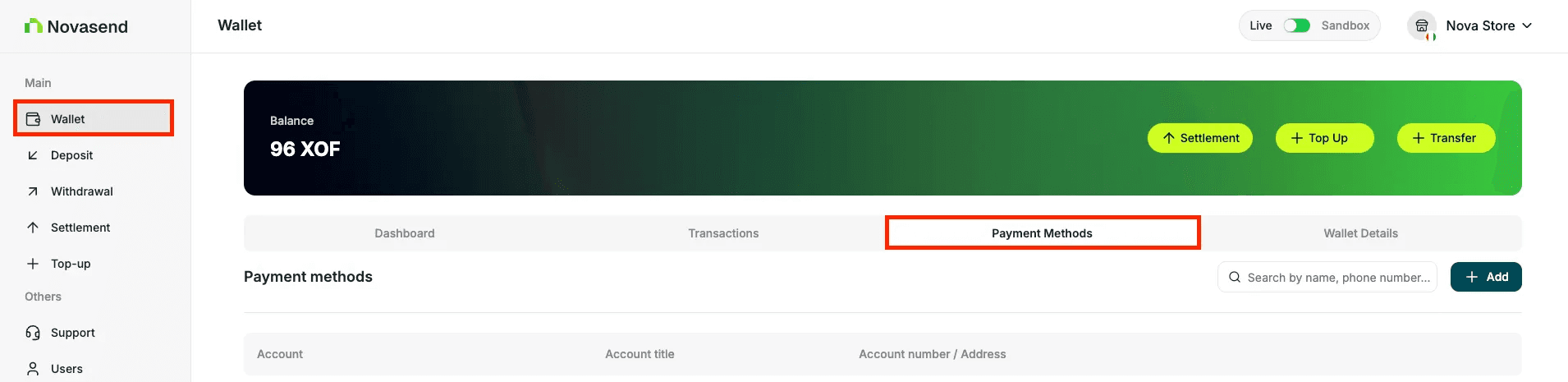
- Click + Add button
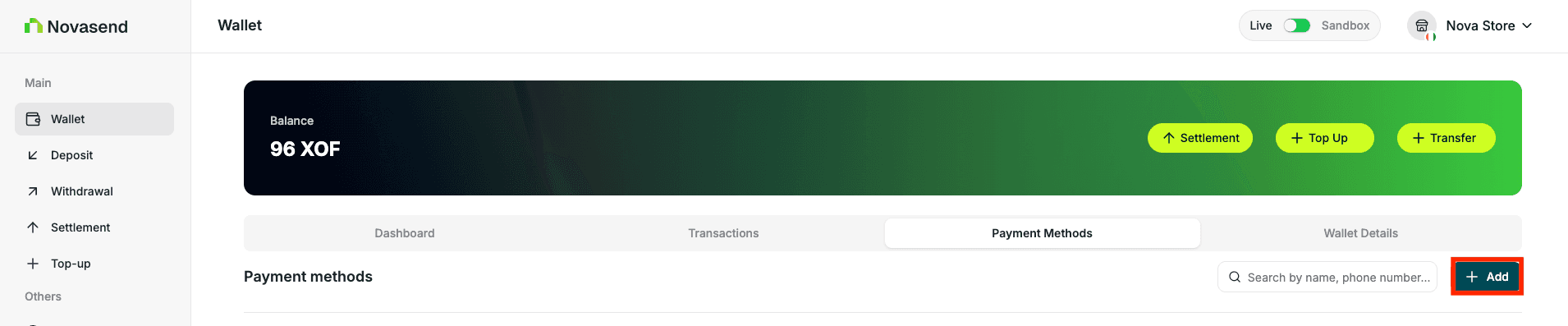
You have two options for adding a payment method:
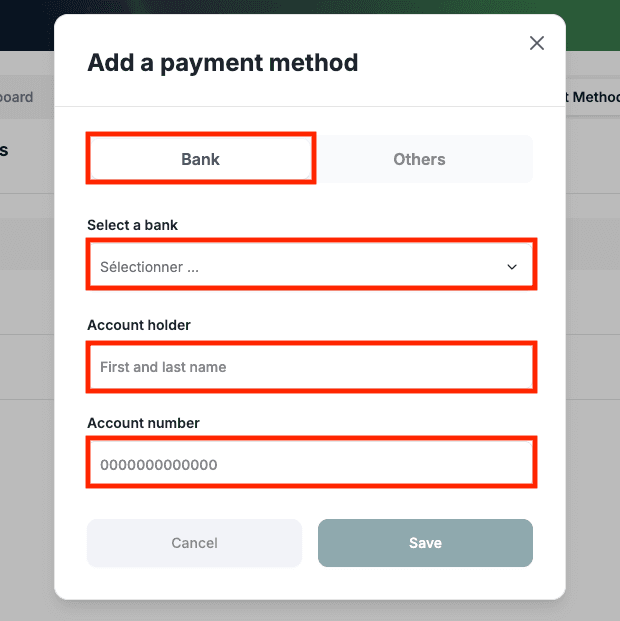
Option A: Bank Account
- In the same section, select Bank
- Select the bank you want to add
- Add account title
- Add account number
- Save the bank details
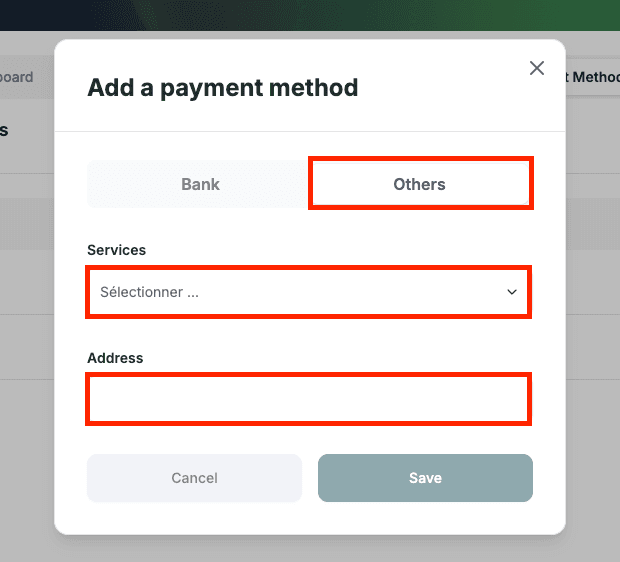
Option B: Service Address
- Choose Others
- Select the service you want to add
- Add the address
- Save
2. Make a settlement
Once your payment method is configured and validated, you can initiate a settlement request. You have two options:
Via Wallet Banner
- Go to Wallet
- Click Settlement in the wallet banner
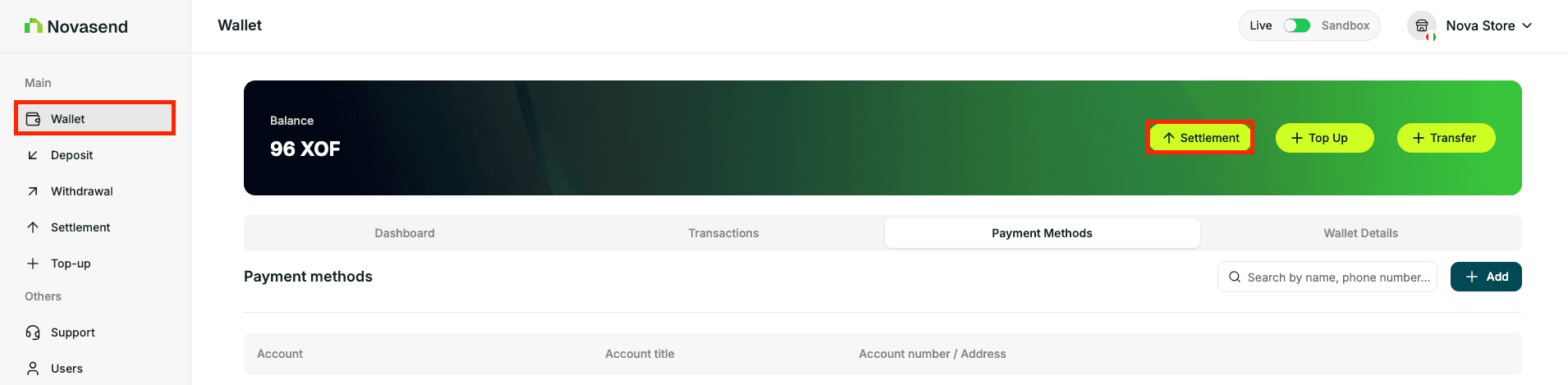
Via Settlement page
- Go to Settlement in the sidebar
- Click New Settlement
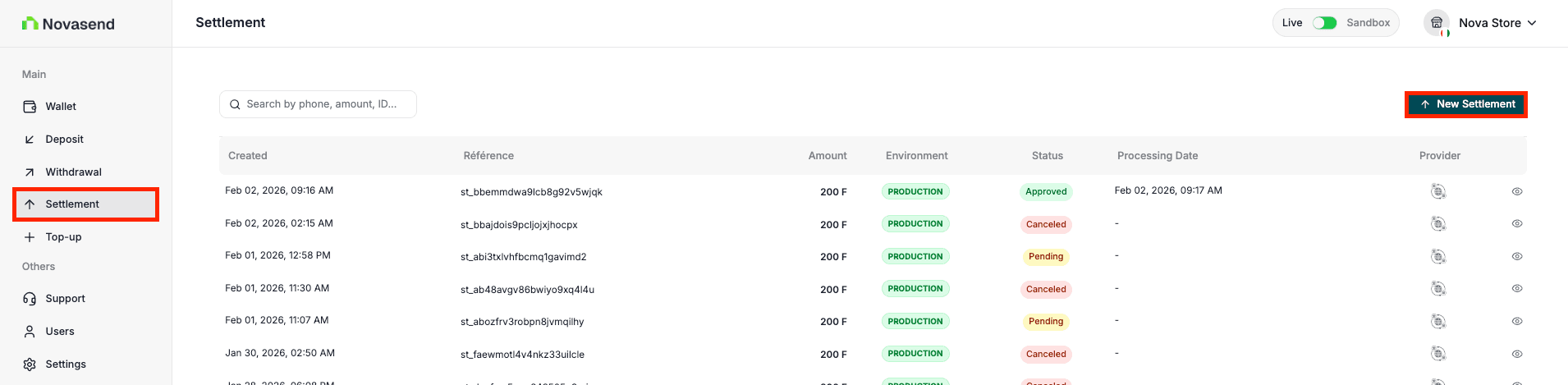
- In the form, enter the amount you wish to settle and select your preferred method.
- Click on Send settlement request.
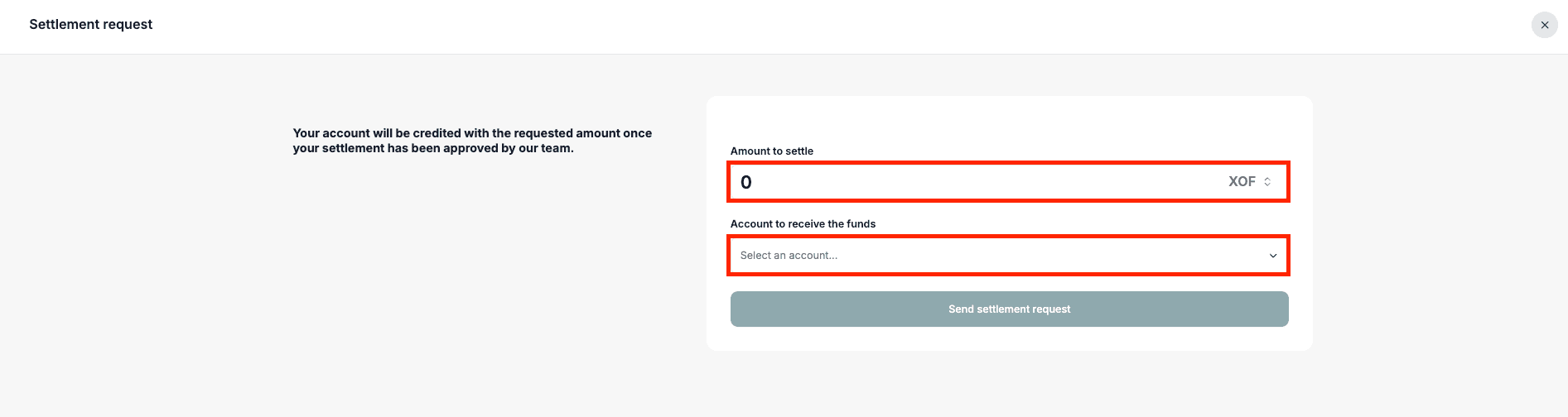
Important: - You can only request a settlement to an added payment method. The processing time depends on our Finance department and your bank or the chosen service.
Last updated on