5. Configure Webhooks
Webhooks allow Novasend to notify your system in real time about transactions events such as payments.
Steps:
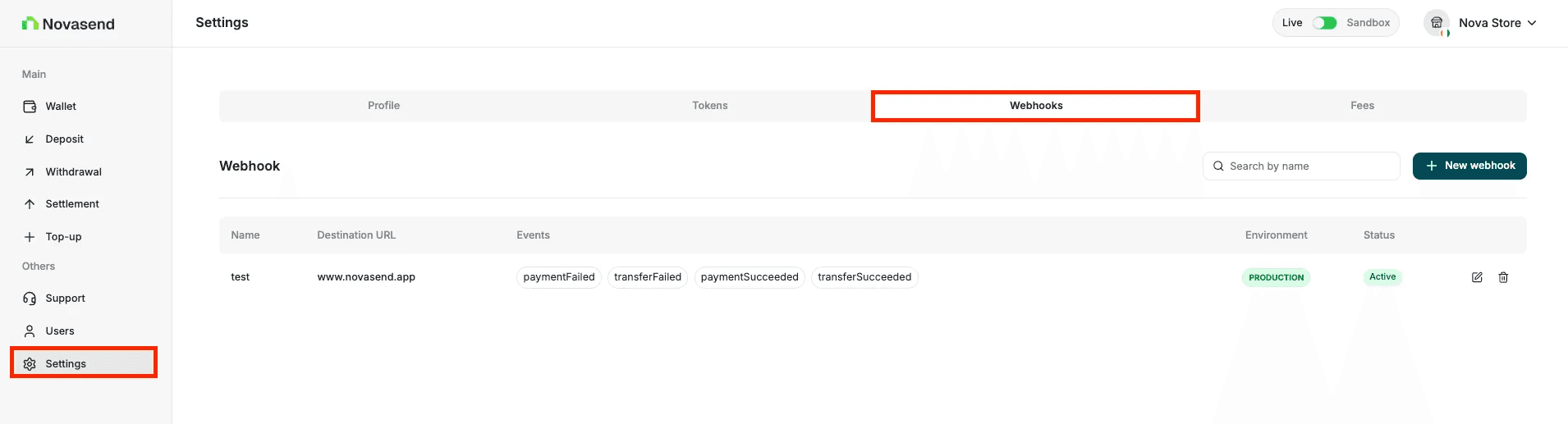
- Go to Settings
- Open the Webhooks tab
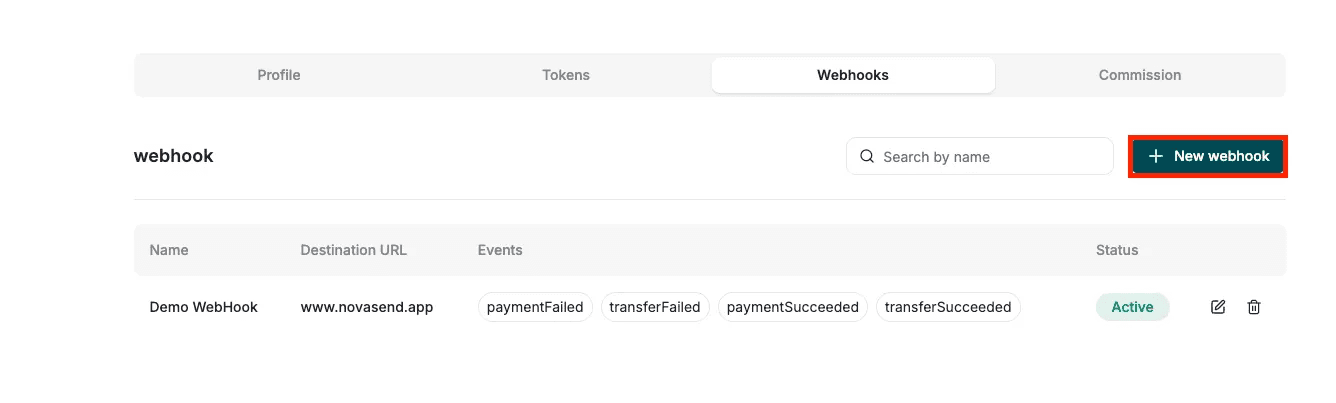
- Click on New webhook button
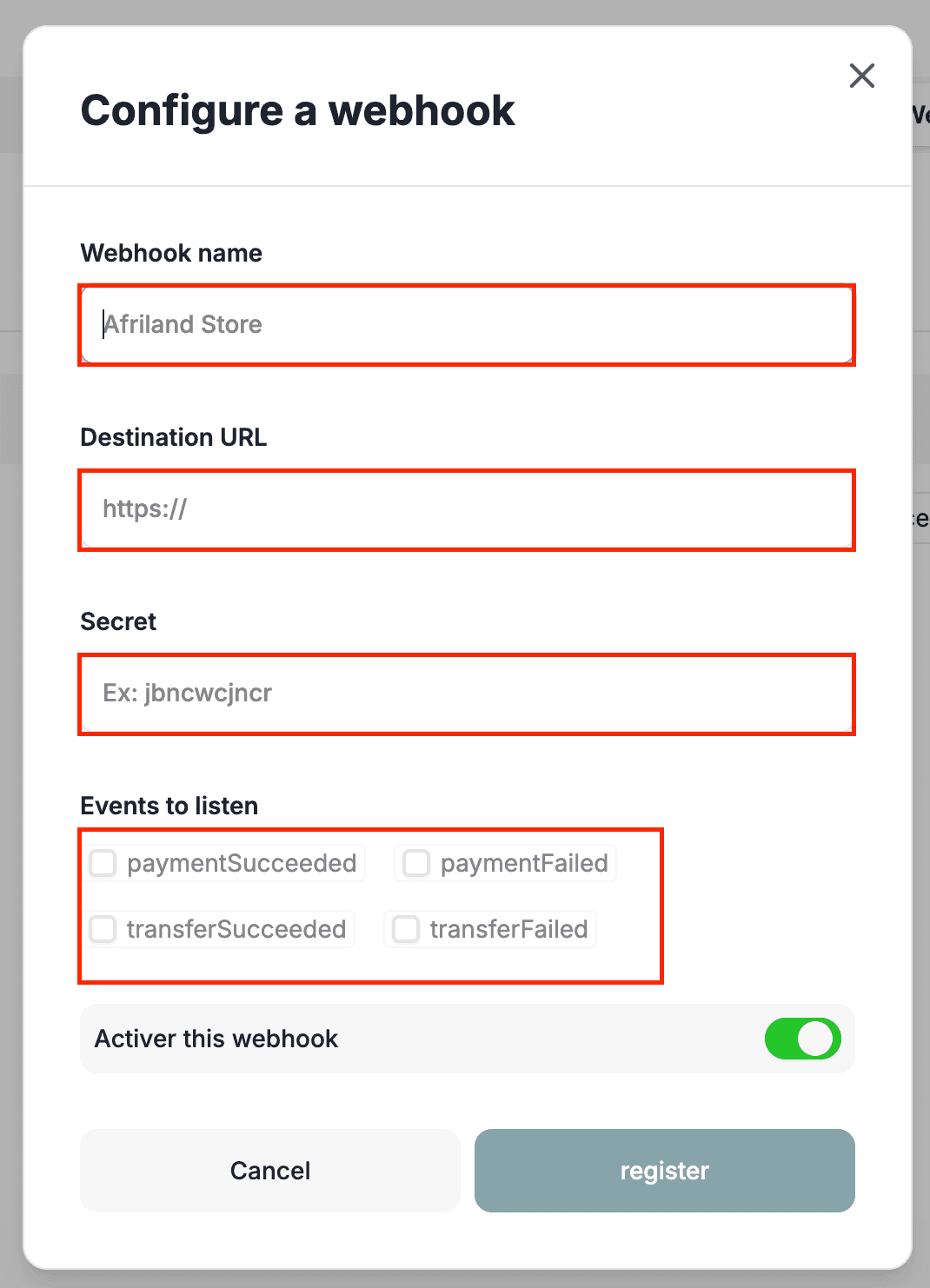
- Enter:
- Webhook name
- Destination URL
- Secret Key (Key used to sign notifications)
- Events to listen
- Activate the webhook
- Click Register
Once added, Novasend will start sending event payloads to your endpoint.
GOOD TO KNOW
The Webhook Secret is different from your API Key (Secret API). The secret is unique to each webhook and can be found in its configuration within the Business portal settings.
Security & Verification
To ensure that transaction events received by your system are authentic, you must verify the HMAC signature.
- At creation: You provide a Secret Key. This key is stored securely and used to sign the requests.
- On delivery: For every notification, Novasend generates an HMAC Signature using your secret key and includes it in the request headers.
- On your server:
- Retrieve the signature from the headers.
- Calculate your own HMAC signature using the Secret Key you provided during creation.
- Compare your generated signature with the one received in the header.
- If they match, the transaction is validated.
Last updated on